What are smart social media habits for teenagers?

Smart social media habits begin with pausing before you share. For online safety for teens, think carefully before posting images, location, school details, schedules, or other private information. When platforms add features, review who can see your posts. Regularly check older public posts and remove unnecessary location details. Get permission before posting about others; these steps protect privacy and relationships. Remember, privacy settings cannot guarantee complete safety because others may screenshot or share your content. Treat every post as potentially permanent and choose your audience. You don’t need to avoid the internet, but share intentionally. Use online platforms to create, join community projects, and learn. Give each post an audience and purpose. Before posting, ask whether you’d be comfortable with a teacher, employer, or family member seeing it in the future. This reflection connects choices with your future goals.
Online safety for teens also involves recognizing scams and deepfakes.
Phishing messages often create urgency by claiming an account will close, offering prizes, or pretending to be a friend in need. Scammers hope you’ll click links, share passwords, or send money. Pause before responding. Verify the sender, then use the official app or website instead of message links. Fear-based language is a warning sign. Deepfakes can imitate people you know through convincing audio, images, and videos. If something seems suspicious, check it through another source and consult someone you trust before sharing. Make a habit of double-checking urgent messages; this is part of online safety for teens. Buczak and Guven’s intrusion-detection survey describes how security experts use data and patterns to spot suspicious activity. Teens can use an approach: notice unusual requests and compare them with what is normal. For students, threat intelligence means learning how attackers deceive people.
How Can Families Set Social Media Boundaries That Support Online Safety for Teens?
Good boundaries are clear and made together. The best boundaries are easy to understand, flexible, and set as a team. Create a family plan that covers private accounts, screen-free times, purchases, and how to report problems. Allow exceptions for schoolwork, emergencies, and supportive friendships. Avoid monitoring in a way that removes all privacy. Instead, talk about why each rule matters. Teens should feel safe asking for help without worrying they will lose their device right away. This builds honesty; trust grows when adults take the time to listen.
Review privacy settings together, check which apps are linked and what location permissions are granted, and discuss how to respond if a stranger asks for images. Agree that intimate images must never be shared. If someone threatens or pressures a teen, they should ask a trusted adult for help. A family plan for online safety for teens should also include enough sleep. Charging devices outside the bedroom can reduce nighttime use; regular routines are more effective than sudden punishments.
Set Healthy Social Media Limits and Curate Your Feed
Decide how long you want to spend scrolling before you start. Switch off alerts that aren’t important while you’re doing homework or sleeping, but make sure you can still contact your family for safety. Teens can use social media to create art, organize events, make friends, and learn new things. The aim of online safety for teens isn’t to make anyone feel afraid, but to help teenagers feel in control.
Choose the content you want to see in your feed and notice how you feel afterward. If a particular account tends to make you feel unpleasant, it’s fine to unfollow it. If online conflict is affecting your schoolwork or sleep, speak to a trusted adult. Although social media is designed to hold your attention, you can still set your own limits—and that’s an essential part of being a good digital citizen.
Online Safety for Teens: Which Seven Habits Build Cybersecurity Skills and Future Opportunities?
Cybersecurity education works best when students develop skills step by step, mastering the basics before exploring more advanced tools. The habits move from personal responsibility to technical thinking, ethical decision-making, and career awareness. Each habit offers teens a next step and helps teachers plan lessons. Practice builds confidence, while an emphasis on ethics helps students use their skills responsibly. Expensive equipment is not necessary: good routines, thoughtful questions, and a safe place to practice are enough to get started. The Verizon 2026 Data Breach Investigations Report found that human decisions played a role in 62% of the cases it studied; exploiting vulnerabilities was a common way attackers gained access. These findings show why security fundamentals matter early. They do not mean young people are responsible for breaches. Rather, they show why everyone should verify requests, install updates, and report problems.

Online Safety for Teens: Seven Habits for Cybersecurity Skills and Career Growth
- Protect identity and access. Create unique passphrases, enable multi-factor authentication, and review recovery details. These habits protect the student first.
- Protect devices and networks. Update operating systems, apps, browsers, and routers. Avoid unknown downloads. Use trusted Wi-Fi carefully.
- Recognize manipulation. Identify phishing, impersonation, fake giveaways, and suspicious login prompts. Pause before clicking or approving.
- Handle information responsibly. Classify data as public, private, sensitive, or confidential. Share only what a recipient needs.
- Communicate with digital citizenship. Seek consent, challenge cruelty safely, and report harassment. Protect people as well as systems.
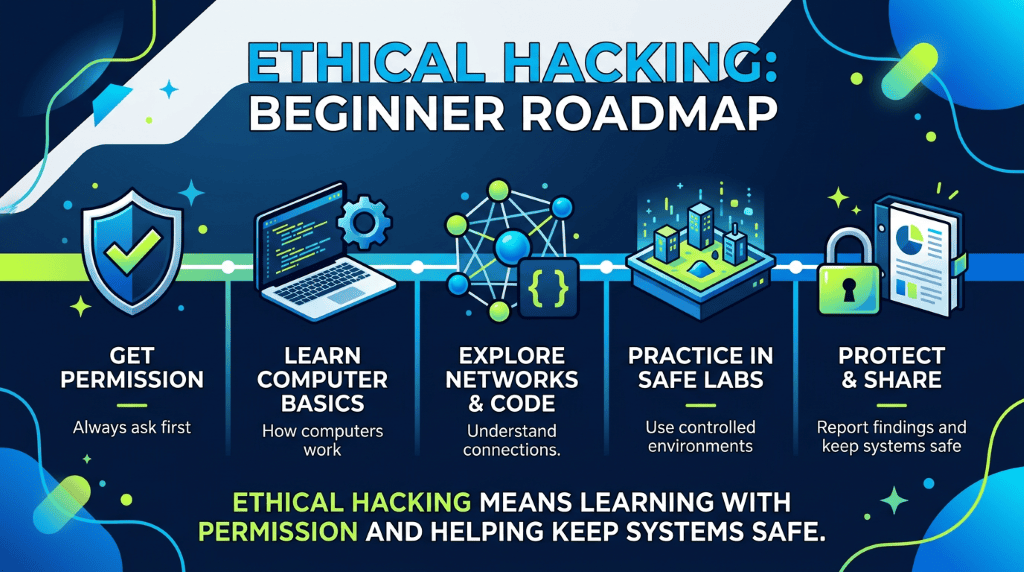
- Practice ethical technical investigation. Learn logs, permissions, and basic incident reporting only in authorized settings. Never test systems without permission.
- Explore cybersecurity careers. Connect interests in coding, design, law, psychology, teaching, and analytics with real security roles.
Repetition helps to establish these habits. When you begin a new discussion about apps, review the first three habits; during group projects, apply the fourth and fifth habits; in supervised labs, introduce the sixth habit; and connect the seventh habit with course selection and mentorship. Career paths in network security, cloud security, encryption, malware analysis, threat intelligence, and incident response vary widely. Some positions focus on investigating alerts, others on developing secure software, and many on promoting safer practices. Greater awareness of career options leads to wider participation, and ethical guidelines help ensure curiosity remains constructive. Students interested in problem-solving might be drawn to incident analysis. At the same time, those who value communication may prefer policy or awareness roles, and those who prioritize fairness might consider privacy engineering. Cybersecurity depends on a wide range of talents. In the end, safe habits turn into useful professional skills.
How Does Cybersecurity Connect to STEM Careers and Online Safety for Teens?
Cybersecurity careers value careful thinking, teamwork, and a willingness to keep learning. Students can get started by learning basic programming, networking, operating systems, and data skills. Joining school tech clubs, attending library workshops, and trying beginner labs that let you practice safely are all good ways to begin. Those interested in becoming analysts might focus on threat intelligence and incident response. At the same time, engineers can build security for networks or the cloud, and designers can help make accounts safer. Curiosity matters, but it’s essential to learn legally and ethically. Students should avoid testing real school systems without permission, since this can cause problems and break rules. Instead, use sandbox environments, capture-the-flag events with clear rules, or instructor-provided systems.
Schools can integrate these conversations into computing, health, advisory, and humanities classes. A shared approach prevents safety from becoming one annual assembly. Consistency matters more than one perfect lesson. Supportive adults make students more likely to report harm. Finkelhor and colleagues’ review cautions that internet-safety education should align with evidence about online dangers. That means avoiding exaggerated stranger-danger scripts. It means teaching coping, help-seeking, and relationship skills. It also means updating lessons as platforms change. Families and educators should model the behavior they expect. Adults should ask for consent before posting students’ images. They should correct misinformation publicly and kindly. Digital citizenship becomes credible when adults practice it too.
Frequently Asked Questions

Online safety means protecting teens’ privacy and well-being with strong passwords, scam awareness, privacy settings, respectful behavior, and reporting harmful content.
Don’t retaliate. Save evidence, block and report the account, and tell a trusted adult—especially about threats, doxxing, or shared private images.
Teens should keep addresses, schedules, locations, passwords, financial details, identifying information, and private photos private; posts can reveal them unintentionally.
Use strong, unique passwords and two-factor authentication; review privacy settings, accept known contacts, avoid suspicious links, and think before posting—screenshots can last.
Digital citizenship helps teens communicate respectfully, question misinformation, manage their digital footprint, and navigate online risks, building safer habits and future opportunities.
References
Bonneau, J., Herley, C., van Oorschot, P. C., & Stajano, F. (2012). The quest to replace passwords: A framework for comparative evaluation of web authentication schemes. 2012 IEEE Symposium on Security and Privacy, 553–567. https://doi.org/10.1109/SP.2012.44
Buczak, A. L., & Guven, E. (2016). A survey of data mining and machine learning methods for cyber security intrusion detection. IEEE Communications Surveys & Tutorials, 18(2), 1153–1176. https://doi.org/10.1109/COMST.2015.2494502
Coventry, L., & Branley, D. (2018). Cybersecurity in healthcare: A narrative review of trends, threats and ways forward. Maturitas, 113, 48–52. https://doi.org/10.1016/j.maturitas.2018.04.008
Finkelhor, D., Walsh, K., Jones, L., Mitchell, K., & Collier, A. (2022). Youth internet safety education: Aligning programs with the evidence base. University of New Hampshire Crimes Against Children Research Center. https://www.unh.edu/ccrc/sites/default/files/media/2022-02/youth-internet-safety-education.pdf
Keles, B., McCrae, N., & Grealish, A. (2020). A systematic review: The influence of social media on depression, anxiety, and psychological distress in adolescents. International Journal of Adolescence and Youth, 25(1), 79–93. https://doi.org/10.1080/02673843.2019.1590851
Khraisat, A., Gondal, I., Vamplew, P., & Kamruzzaman, J. (2019). Survey of intrusion detection systems: Techniques, datasets and challenges. Cybersecurity, 2, Article 20. https://doi.org/10.1186/s42400-019-0038-7
StopBullying.gov. (n.d.). Digital citizenship skills. U.S. Department of Health and Human Services. https://www.stopbullying.gov/resources/research-resources/digital-citizenship-skills
Verizon. (2026). 2026 data breach investigations report. https://www.verizon.com/business/resources/T1ae/reports/2026-dbir-data-breach-investigations-report.pdf